 Mowo
Variables and types
The value types pins carry, class variables and containers, struct pins, and the Replicated, Instance Editable and Expose on Spawn flags.
Variables are the state a class keeps between events. Set a value in BeginPlay, read it again in Tick. Each variable has a name, a type and a default that seeds every new instance. This page covers the types a pin can carry, containers, struct and object values, and the flags that change how a variable behaves.
Value types
Every value in flight is a VisualScriptValue: a tagged value that uses the reflection system's type tag, FMValueType VisualScriptValue.
| Type | Holds | Notes |
|---|---|---|
Bool | true or false | |
Int, UInt32, Int64, UInt64 | Whole numbers | Int and Float pins connect to each other. |
Float, Double | Real numbers | |
Vec2, Vec3, Vec4, Quat | Vectors and rotations | Vec3 has Make Vector and Break Vector nodes. |
String | Text | |
Object | A weak reference to an MObject | Reads back as null once the object is gone. |
Custom | A struct instance | Named by its struct type. See Struct values. |
When a node calls a reflected C++ function, the VM converts each input to the parameter's declared type first, so a float wired into an int32_t parameter is converted, not reinterpreted.
Some C++ types ride a pin that already exists, converted inside the generated thunk: enums and narrow integers as Int, FName and gameplay tags as String, FRotator as a Vec3 of pitch, yaw and roll in degrees, a TSoftObjectPtr as its asset path, and an MClass* as its class name.
Class variables
A class variable lives on the instance and survives across every event graph.
- Add it
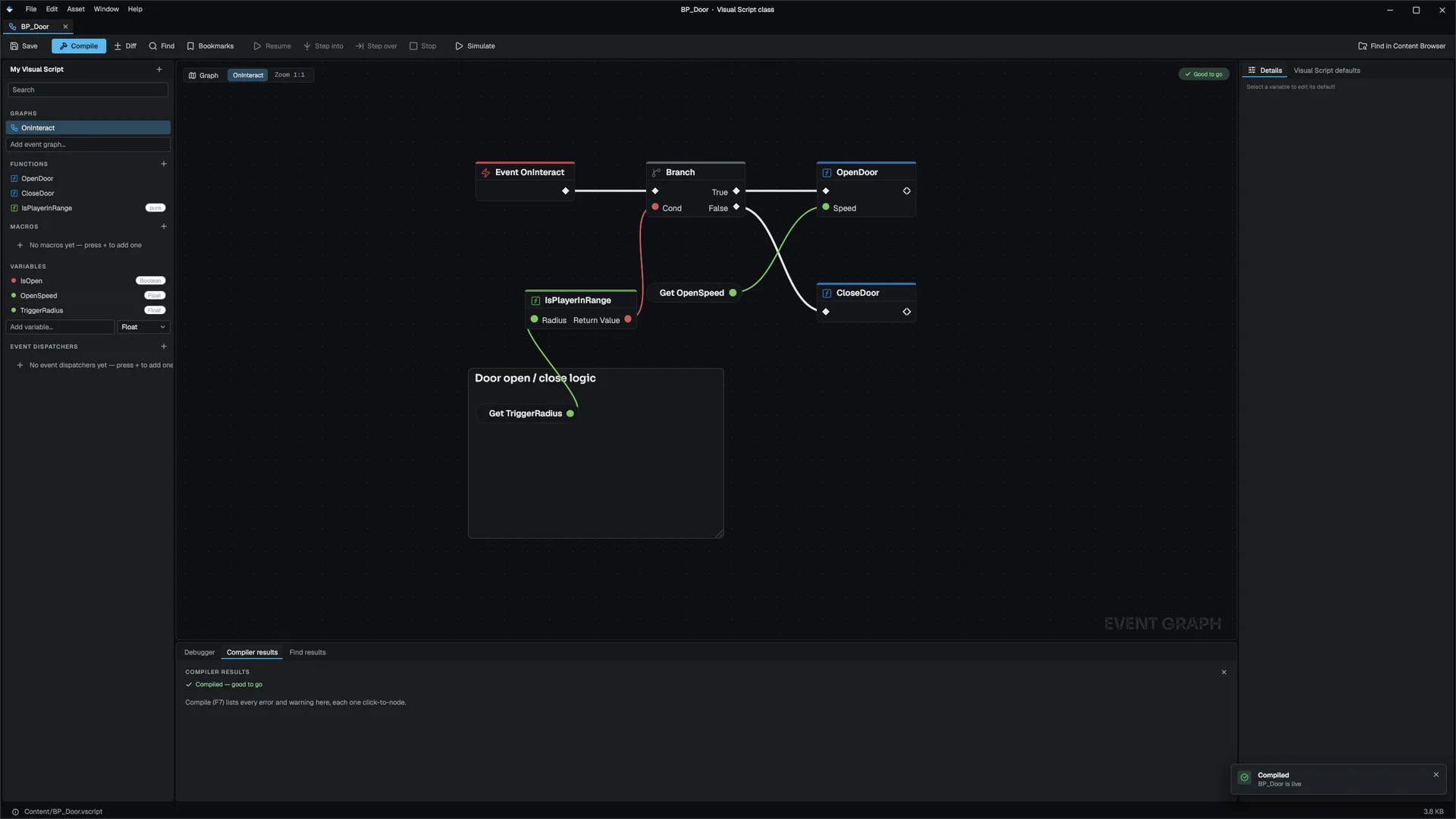
In the Variables section of My Visual Script, pick a type (Bool, Int, Float or String), type a name in Add variable... and press Enter.
- Set its default
Select the variable. Details shows its name, type, default value and flags. Edit the default there, or in Class defaults.
- Use it
Drag the variable onto the canvas and choose Get or Set. Get Variable is a pure data node. Set Variable is an exec node that writes its input, then continues.
- Rename rewrites every node that names the variable, across event graphs, functions and macros.
- Retype resets the default and every unlinked Set literal to the new type's default. When the new type cannot replicate, the Replicated flag and its RepNotify are cleared with it.
- Delete is refused while any node still names the variable, and the editor lists those nodes.
The editor picker covers the four scalar types. The file format also accepts Vec3, Object, the integer widths and Double for a variable default, and a variable becomes a container when a container write node first fills it.
Containers
A value can hold many elements. There are three container shapes: array, map and set VisualScriptValue.
- Read nodes are pure and take the container on an input pin: Array Get, Array Length, Array Contains, Array Find, Map Find, Map Contains, Map Length, Map Keys, Set Contains, Set Num, Set To Array. Array Get with an index out of range returns the element default.
- Write nodes are exec nodes that name the variable they change: Array Add, Array Set, Array Remove Index, Array Clear, Map Add, Map Remove, Map Clear, Set Add, Set Remove, Set Clear. Set Add ignores duplicates.
- Make Array and Make Map build a container from their inputs.
A write node creates the container on first use. If the named variable still holds a scalar, it becomes an empty container of the right shape. Inside a function, a write node looks for a parameter or local with that name before it falls back to a class variable.
A container cannot be passed to or returned from a reflected C++ function: it has no marshaling storage, so the call is skipped with an error. Read the elements out and pass those.
Struct values
A struct parameter or return value on a reflected function travels as a Custom value that holds a real, constructed instance of the struct. The VM looks the struct up by name in FMStructRegistry, so the thunk receives exactly the C++ type it expects. Every copyable MSTRUCT is registered by the header tool, and FTransform is registered by Core. A struct type that is not registered is refused at the call with an error, never half-run.
Transform values have their Make and Break functions in MMathStatics. For Vec3, use Make Vector and Break Vector.
Object references
An object pin holds a weak handle, never a raw pointer and never a garbage-collection root. If the actor it points at is destroyed or collected, the pin reads null the next time anything resolves it.
An object constant in a saved graph cannot be a pointer, because the object does not exist when the file loads. It is saved as a symbolic reference and resolved against the world when the graph runs:
| Reference | Resolves to |
|---|---|
Self | The actor running the graph |
Name | The actor with that object name |
Tag | The first actor with that tag |
Object nodes such as Cast To, Call On Target and Objects Equal are covered in Flow control.
Reflected properties
Get Property and Set Property read and write a real MPROPERTY on the actor's C++ class or its parents. They reach the object's fields directly, unlike class variables, which live in the variable store.
Variable flags
Each variable has three switches in Details VisualScriptVariable.
Instance Editable
A placed instance may override the class default from the level's Details panel, in its Visual Script Variables section. Only variables whose value differs from the class default are saved with the scene, as a per-instance delta. Resetting a row to its default removes the delta. Off means the variable is internal state and gets no row.
Expose on Spawn
The variable becomes an extra input pin on any node that spawns this class by name. The value is written onto the new instance after its defaults are seeded and before its OnConstruct and BeginPlay run, which a Set node placed after the spawn cannot do FVisualScriptSpawnScope.
A reflected function counts as a spawn function when its name starts with Spawn, it returns an object and its first parameter is a string class name. MGameplayStatics::SpawnActorByClass is the built-in one, and a game function such as SpawnFromCatalog(className, ...) gets the pins with no engine change. The pins follow whatever class the class pin names: a typed name or a Class Reference node.
Replicated
The authority sends the variable to every client whenever it changes:
- A client's own write to a replicated variable is refused with an error. Route the change through a
ServerRPC. - Only changes travel, paced at 20 updates a second, and updates are reliable. A peer that joins mid-session gets the whole set.
- Containers and object references have no wire form and cannot replicate. The checkbox reads Not replicable for them FVisualScriptVarSync.
- RepNotify names a parameterless function of the class. The receiver runs it after an update changed the value.
A class with a replicated variable always ticks, because the authority has to compare values every frame. Updates go to every peer with no relevancy culling. For continuous per-frame state, use a replicated component instead. See Multiplayer.
Class defaults
A variable's default is its class default, the counterpart of a value on Unreal's class default object. Every new instance is seeded with it. When you later change the default and compile, instances that still hold the old default follow the new one, and instances you edited keep their value. Classes and inheritance covers how defaults combine across a parent chain.
Values set by events
Some events write values into the variable store before the graph runs. Read them with Get Variable:
| Name | Set by |
|---|---|
PinPayload | Input pins, OnHit, OnTriggerEnter, OnTriggerExit |
DamageAmount, DamageInstigator | AnyDamage |
HitLocation, HitNormal, HitImpulse | OnHit |
InputActionValue | InputAction.<Name> graphs |
These are runtime state. They are never written to the scene.
Next
- Flow control: branch and loop on these values.
- Functions, macros and dispatchers: parameters and locals.
Engine sources
This page describes behavior implemented in these files of the engine repository, checked against commit 5922e6e5e.
- Engine/Source/Runtime/Core/Public/Core/MObject.h
- Engine/Source/Runtime/VisualScripting/Public/VisualScripting/VisualScriptValue.h
- Engine/Source/Runtime/VisualScripting/Public/VisualScripting/VisualScriptClass.h
- Engine/Source/Runtime/VisualScripting/Public/VisualScripting/VisualScriptVarSync.h
- Engine/Source/Runtime/VisualScripting/Public/VisualScripting/VisualScriptSpawnParams.h
- Engine/Source/Runtime/Game/Public/Game/VisualScriptRuntime.h