 Mowo
Getting started
What Mowo Engine is, what you need to run it, and the path from installing the editor to a saved level and a packaged build.
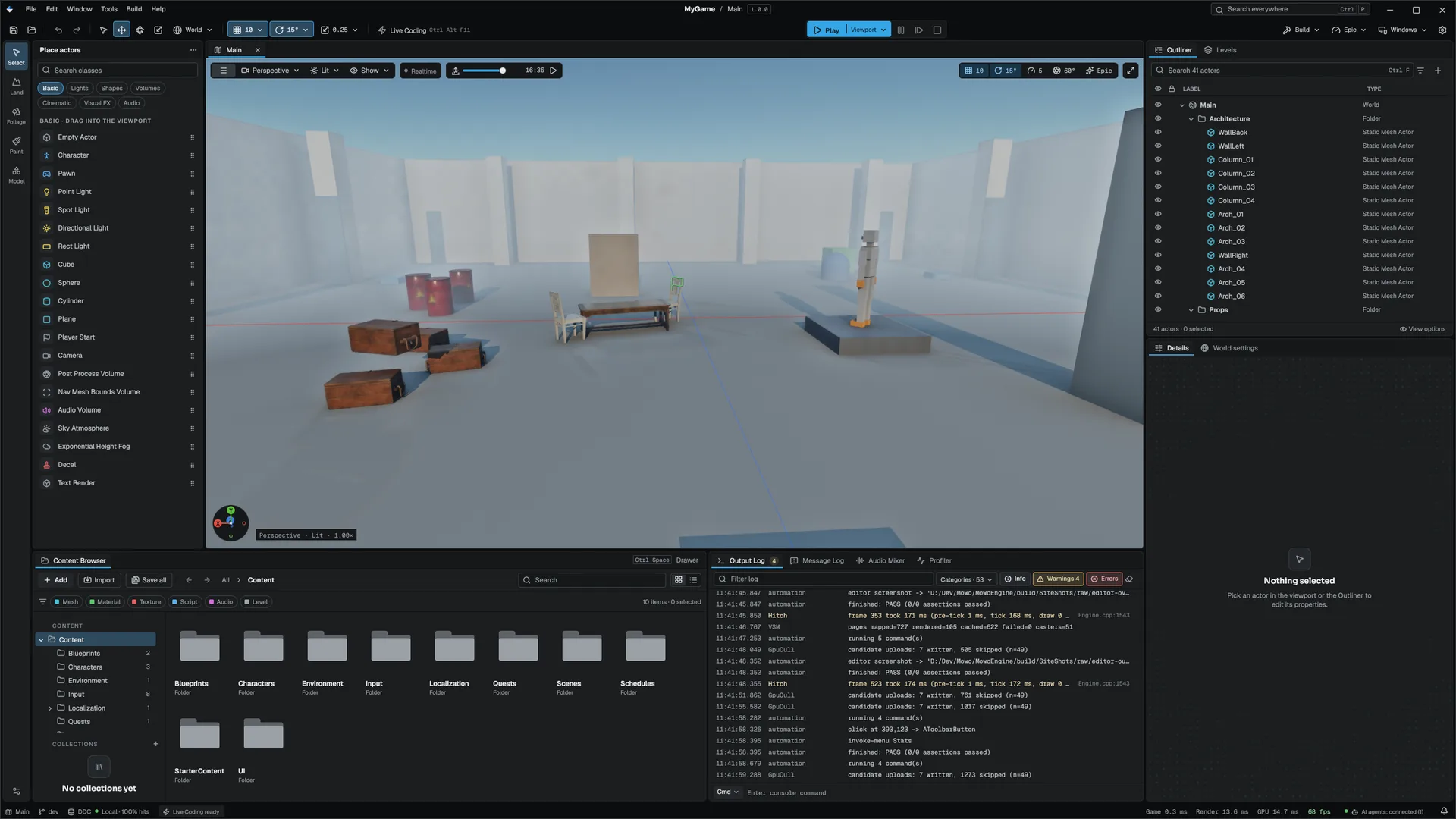
Mowo Engine is a C++ game engine with its own editor, build tool and data format. If you have used Unreal Engine 5, the shape is familiar on purpose: actors and worlds, reflection macros, a dockable editor, C#-scripted build rules and project templates all follow UE5. The one naming difference is the prefix for managed objects. Mowo writes M where Unreal writes U, so you use MObject, MClass and MWorld. The F, A, I, T and E prefixes mean what they mean in Unreal.
This section takes you from installing the editor to a saved level and a packaged build. Read the pages in order the first time.
Mowo is pre-1.0. This is version 1.0.0. The installed editor runs on Windows. See Platforms and graphics APIs for the current state of each platform.
What you get
- Mowo Editor (
MowoEditor), a dockable editor with play-in-editor, a content browser, a reflection-driven Details panel and asset editors. - Mowo Project Launcher (
MowoProjectLauncher), which lists your projects, creates new ones from templates and opens the editor. - MowoBuildTool (
mbt), the build tool that compiles your game's C++ modules against the prebuilt engine, cooks content and packages builds. The editor runs it for you; there is no CMake step. - 10 project templates, from an empty Blank level to playable first-person, third-person, top-down, co-op, physics, horror, simulator and shooter starters.
- Rendering backends: D3D11RHI, D3D12RHI, MetalRHI, VulkanRHI. Direct3D 12 is the default on Windows, Metal on macOS.
- The player host
MowoGameand the dedicated serverMowoServer, whichmbt packagebrands with your product name.
What you need
| Requirement | Why |
|---|---|
| Windows 10 or 11 x64 | The platform the installed editor runs on |
| A GPU with Direct3D 12 or Vulkan | The editor renders with them |
| A Mowo ID | Signing in activates the free Personal (Beta) license |
| For C++ only: LLVM (clang-cl) and Visual Studio or Build Tools with the C++ workload | Your game module is compiled with clang against the MSVC libraries and the Windows SDK |
The toolchain versions are pinned in Engine/Config/Toolchains.ini in the install, and mbt doctor checks your machine against them. Install Mowo covers each item.
The path through this section
- Install the editor
Run the installer, sign in in the Project Launcher and, for C++, install the toolchain. See Install Mowo.
- Create a project
Start from a template in the Project Launcher, or run
mbt init. See Create a project and Templates. - Learn the project layout
Know which folders you commit and which ones the engine regenerates. See Project layout.
- Build your first level
Place actors, save a
.mmaplevel and press Play. See Your first scene. - Build code and package
Compile your game module and produce a runnable folder with
mbt package. See Your first build. - Understand the model
Read Core concepts for modules, objects, actors, the ECS, data files, visual scripting and UI.
Where to go next
Engine sources
This page describes behavior implemented in these files of the engine repository, checked against commit 3f3a08d31.
- Engine/Config/Toolchains.ini
- Engine/Source/Runtime/AssetSystem/Public/Project/TemplateDefs.h