 Mowo
Global Illumination
How Mowo computes real-time indirect light from a distance field, probes and caches, how to tune it, and how to bake a fallback.
Global Illumination is Mowo's real-time indirect lighting. It combines a camera-centred signed distance field, a grid of irradiance probes, a radiance cache, a mesh-card surface cache and a screen-space probe gather, with temporal denoising on top. At Epic it can also trace its gather rays through the hardware ray-tracing scene. Nothing has to be baked for it to work; a baked field is only a fallback for tiers that turn the live system off.
Global Illumination is off for a new project. Turn it on in Project Settings > Rendering > Features > Global Illumination (r.GlobalIllumination.EnableForProject 1). Until you do, no tier, device profile or r.* cvar runs it, and the renderer builds none of its pipelines, volumes or probes. Once it is on it runs from the Medium tier up; Low turns it off and samples a baked field instead when the scene has one.
The switch covers everything that traces the Global Illumination distance field: DDGI and screen probes, SSGI, the neural cache, SDF reflections, the translucent SDF reflections and the far sun shadows past the cascades. The hardware ray-traced gather also needs Ray Tracing on.
How it fits into the frame
- SDF build
- Radiance cascades
- Probe update
- …shadows, G-Buffer, lighting…
- Final gather
- Denoise
- Composite onto HDR
The world-space builds run first, and on D3D12, Vulkan and Metal they can run on the async-compute queue while graphics draws shadows and the G-Buffer (r.GI.AsyncCompute, default 1). Lighting waits for them. After lighting, the gather computes indirect diffuse per pixel, denoises it and adds it to the lit image.
The parts
Distance field
Every ray marches a camera-centred distance field: a 3D volume built on the GPU from the scene's triangles and signed, so that thin walls do not leak light. Meshes can carry a field baked at cook time, which the runtime composites instead of voxelizing them. A baked field is signed from the connectivity of the open space around the mesh, not by ray parity, so an open mesh such as a single-sided wall or gallery does not turn its air into solid; fields baked by an older build heal on load. Outside its own box a mesh's field is a bound built from the value at the nearest point of the box, so the box of a large, mostly empty mesh never reads as a surface. The nearest small meshes additionally march their own baked field at its baked resolution (r.GI.BakedSdf.DetailTrace), which resolves wires and grilles the clipmap fattens. The field of a mesh larger than 64 clipmap cells (16 m at the 0.25 m near cell) is never put in that detail atlas, because its fixed 64-cell slot would be coarser than the clipmap and only cost fetches; the atlas itself is one persistent volume that is rewritten in place when the nearest set changes. The field is a clipmap: moving the camera only rebuilds the slab that scrolled into view. A coarser far cascade covers more distance (r.GiCascades, default 2; r.GI.FarCascadeScale sets its reach).
What enters the field:
- Static meshes, with masked (cutout) materials counted by their coverage (
r.GI.AlphaTested). - Skinned meshes, so a character occludes and bounces light (
r.GI.SkinnedSdf, default 1). - Moving physics bodies, where they stand this frame. A moving body is re-voxelized in its own box and never rebuilds the whole field or resets the radiance cache.
- Terrain and tall foliage (
r.GI.TerrainFoliage, default 1). Foliage shorter thanr.GI.FoliageMinHeightstays out. - Emissive meshes are also injected as small lights, so thin emitters still light the room (
r.GI.EmissiveLights).
Irradiance probes
A grid of probes traces the field and stores irradiance and depth. Probes that start inside geometry are moved out. The grid is 8, 12 or 16 probes per axis depending on the tier, fitted to the scene bounds. Once lights, field and grid have been unchanged for a while, each probe updates only one frame in a few (r.GI.DDGI.ConvergedInterval, 4 by default): every frame traces a different quarter of the probes, so the frame cost stays even instead of the whole grid tracing on one frame in four.
Radiance cache
A ray that hits something needs to know how bright that point is. The radiance cache stores the lit radiance of the distance field, including probe indirect and emissive light. It is rebuilt on a tier interval (r.GI.RadianceInterval) and only while lighting changes (r.GI.RadianceDirty, default 1). When the field scrolls with the camera, only the slab that scrolled in is rebaked. When static geometry changes, or a baked field recentres on the camera (every 2 m of travel in a scene larger than the field), the whole cache is rebaked at once.
Sun and light shadows inside the caches are traced through the distance field. A shadow ray that runs out of steps before it leaves the field counts as shadowed, and the caches add no constant ambient floor: sky reaches them only through probe rays that actually escape.
Surface cache
Without a surface cache a ray hit shades from one flat colour per mesh. The surface cache captures each static mesh instance from a few oriented cards into an atlas, so a hit reads real texture detail, normals and emissive (r.GI.SurfaceCache, default 1). The atlas is allocated on the first captured card, so a scene with nothing to capture pays nothing. Card resolution and atlas size come from the tier.
Final gather
How each pixel collects indirect light is set by r.GI.FinalGather:
- World probes (Medium): each pixel samples the probe grid directly.
- Screen probes (High and up): probes are placed on the depth buffer, one per 16-pixel tile plus extra 8-pixel probes at depth and normal edges (
r.GI.ScreenProbes.Budget). Each probe traces first through the depth buffer (r.GI.ScreenTraces), then through the distance field, and shades hits from the radiance cache. Rays favour directions that were bright last frame (r.GI.ImportanceSample), and probes accumulate up tor.GI.ScreenProbes.TemporalMaxFrames(32) frames. A probe whose traced light changes by more thanr.GI.ScreenProbes.TemporalReactFloor(0.08, relative) shortens its history so it follows the change. A tile probe whose history holdsr.GI.ScreenProbes.HalfRateMinFrames(8) frames traces on alternate frames in a checkerboard and carries its history forward in between, each traced frame counting twice (r.GI.ScreenProbes.HalfRateConverged, default 1); a probe that loses its history traces every frame until it converges again.
Hardware ray-traced gather
At Epic and Cinematic, screen-probe rays trace the ray-tracing scene with inline ray query instead of marching the distance field, which removes the field's blockiness from nearby indirect light (r.GI.HWRTGather). Only the trace changes: hits shade from the radiance cache. A hit the cache does not cover takes its emissive and sky irradiance but no sun, because there is no shadow ray to tell whether the sun reaches it. Without ray query it falls back to the field trace and logs why once. See Ray tracing.
Denoising
The gathered light goes through a velocity-aware temporal pass and a variance-guided spatial filter (r.GI.Denoise: 0 off, 1 on). The temporal pass keeps up to r.GI.TemporalMaxFrames (20) frames. It sits on top of the screen-probe history, so a lighting change drains through both. By default the filter runs at half resolution and upsamples in the composite (r.GI.DenoiseHalfRes), which filters with a 3×3 à-trous over the 5×5 footprint (r.GI.DenoiseCompositeTaps 3; 5 is the full kernel).
Composite
The composite multiplies the gathered irradiance by the surface's diffuse albedo: the base colour times one minus metallic. This holds for world probes, screen probes and the neural cache alike. A fully metallic surface has no diffuse albedo, so it takes no diffuse indirect light or sky fill; its indirect light comes from reflections.
AO from GTAO or ray-traced AO darkens the indirect light here. r.GI.AOWeight (default 1) scales a plain AO multiply. r.GI.BentNormalAO (default 1) adds cone occlusion along the AO pass's bent normal, the average unoccluded direction, so creases and contacts lose indirect light while an open floor keeps its sky fill.
In earlier versions metal surfaces such as a mirror floor picked up grey diffuse sky fill, and GTAO's bent normal on open floors pointed into the surface, which occluded most of their indirect light. Both are fixed: scenes tuned against the old look may show brighter non-metal floors and darker metals.
Covered areas are darker than in earlier versions. The caches used to add a constant ambient floor, count a shadow ray that ran out of steps as sunlit, and, with the hardware ray-traced gather, light hits outside the cache with an unshadowed sun. All three leaked light under roofs and into galleries. Lighting changes also settle about twice as fast. If an interior tuned against the old look is now too dark, raise its lights or r.GI.SkyScale rather than restoring the leak.
Reflections and translucency
The same cache feeds reflections. A screen-space reflection ray that leaves the screen continues through the distance field and shades from the radiance cache; at Epic a finer near cascade sharpens this (r.GI.NearCascade). Glass and water sample the probe field per pixel as their ambient term (r.GI.Translucency, default 1). See Sky and reflections.
What each tier runs
| Low | Medium | High | Epic | Cinematic | |
|---|---|---|---|---|---|
| Live Global Illumination | off (baked field) | on | on | on | on |
| Final gather | — | world probes | screen probes | screen probes | screen probes |
| Probe rays per probe | — | 24 | 32 | 48 | 64 |
| Probes per axis | — | 12 | 16 | 16 | 16 |
| Screen-probe rays | — | — | 48 | 64 | 96 |
| Radiance cache interval (frames) | — | 8 | 8 | 2 | 1 |
| Surface cache card resolution | — | 64 | 128 | 256 | 256 |
| Distance field resolution | — | 64 | 64 | 64 | 128 |
| SDF reflections and near cascade | — | off | off | on | on |
| Hardware ray-traced gather | — | off | off | on | on |
Values come from the tier rows in. Each has an r.* override; see Quality tiers.
To keep a tier's shadows and resolution but drop the cost of Global Illumination, set sg.GlobalIlluminationQuality=0. The on/off switch is part of the tier row, so the group can turn it off without touching anything else.
Settings
- Project Settings > Rendering > Features > Global Illumination: the project switch. Off by default; the rest of this list applies once it is on.
- Project Settings > Rendering: Dynamic GI Method (off, screen space or radiance cascades; needs a restart) and Reflection Method.
- Project Settings > Engine > Global Illumination: the distance field resolution, radiance interval, denoise mode, final gather, probe and ray counts, surface cache, the tracing step caps, the screen-probe settings, and an Ambient Occlusion section (AO slices, the ray-traced AO rays, radius scale, calibration and history, AO Weight On Indirect, Bent Normal Occlusion and the AO and bent-normal resolutions).
- Players get a Global Illumination row (off, screen space or radiance cascades) in the Graphics settings. In a game that leaves the project switch off it is greyed out with "this game does not use it".
Tune it for a scene
- Check that it is running
Make sure Global Illumination is on in Project Settings and the tier is Medium or higher, or force it with
r.DDGI 1. Switch the viewport to the Global Illumination buffer view (or setr.ViewMode 14) to see the indirect light on its own. - Balance sky and AO
r.GI.SkyScale(default 1) scales how much sky light fills outdoor shadows.r.GI.AOWeight(default 1) controls how strongly AO darkens the indirect light. Neither changes metals: a fully metallic surface takes no diffuse fill, so light it through its reflections instead. - Adjust the indirect intensity
SceneRenderer::Options::DdgiIntensityis an artist gain on indirect diffuse. - Inspect the distance field
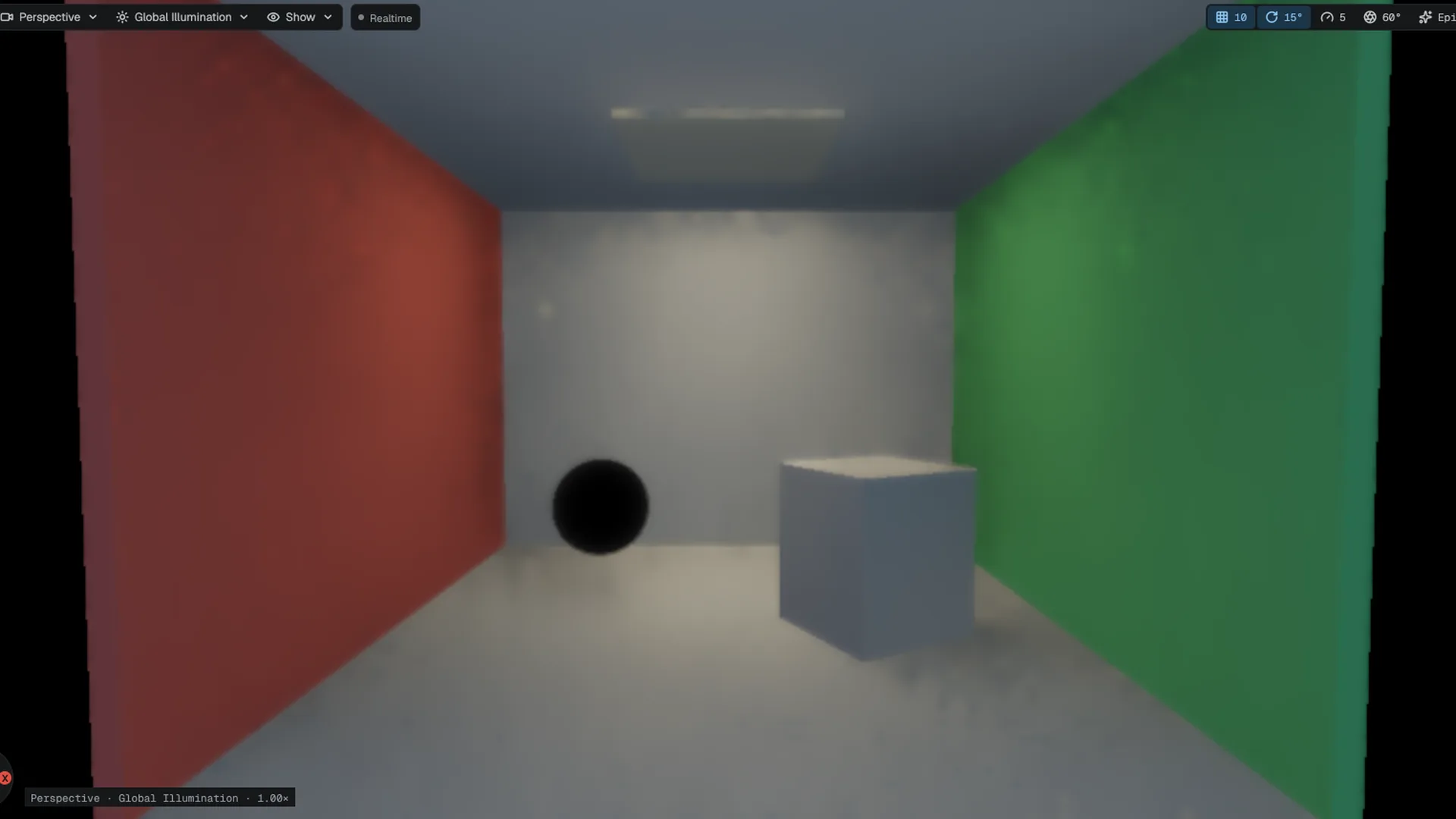
If light leaks or thin objects bounce no light, look at the field itself with the SDF debug view, which replaces the image with a sphere-traced view of the field. Raise
r.GI.SDFResolutionfor a larger, finer field.
Bake a fallback for Low
Low turns the live system off. Without a bake such a machine lights every room with flat sky light. A baked field stores the converged probe grid beside the scene as <scene>.mgi, and Low samples it at the cost of one fullscreen pass (r.GI.Baked, default 1).
- Open the scene
Frame the area you want baked: the bake is taken from the live probe field, which covers the scene while it fits the probe window.
- Run Build Lighting
Run Build Lighting from the command palette. The editor turns the live system on, waits in the viewport until it converges, and writes the field beside the scene. A notification shows progress and has a Cancel button.
- Ship it
The
.mgifile sits next to the scene file and ships with it. Rebuild after you change lighting or geometry.
Neural irradiance cache In development
r.GI.NeuralCache 1 replaces the gather with a small network trained online on the GPU from rays traced off the G-Buffer. It is off by default and console-only: it costs much more than the gather and its colour does not yet match. Do not ship with it.
Limits
- The field is camera-centred and finite. Geometry outside its window is not in the field that rays march; the far cascade extends the reach at lower detail.
- Screen-probe tracing starts in screen space. Off-screen geometry is reached only through the field or, at Epic, the ray-tracing scene.
- Probe count changes take effect on the next launch (
r.DDGI.ProbesPerAxis). Ray budgets and the radiance interval change live. - Low has only the baked field, which does not react to moving lights.
API reference
- SceneRenderer module:
SceneRenderer,SceneRenderer::Options,FScalabilityTierValues - Renderer module:
FDdgiBake - Console variables: the
r.GI.*andr.DDGI.*variables
Engine sources
This page describes behavior implemented in these files of the engine repository, checked against commit 28d30be51.
- Engine/Source/Runtime/SceneRenderer/Public/Renderer/ScalabilityTiers.h
- Engine/Source/Runtime/RHI/Public/RHI/ProjectRenderFeatures.h
- Engine/Source/Runtime/Renderer/Public/Renderer/DdgiBake.h