 Mowo
Install Mowo
Download and run the Mowo Engine installer, add the C++ toolchain a game module needs, check your machine with mbt doctor, and uninstall.
Mowo ships as an installed engine: Mowo Editor, the Mowo Project Launcher, the build tool mbt, the prebuilt engine libraries your game is packaged with, and the headers and libraries a game's C++ module compiles against. You do not build the engine. You install it, sign in, and create projects.
What you need
- Windows 10 or 11, 64-bit. A macOS (Apple silicon) download is in preparation.
- A GPU with Direct3D 12 or Vulkan. See Platforms and graphics APIs.
- A Mowo ID and the free Personal (Beta) license. See Sign in and activate your license.
- About 2 GB of disk space for one installed version (the download is about 700 MB).
- For C++ only: a clang toolchain. Projects that use only Visual Scripting and content compile nothing and need no toolchain, also when you package them. A project with a C++ game module needs the toolchain described below.
The installer brings everything else it needs: the Visual C++ runtime sits next to every program it installs, and the Direct3D 12 Agility SDK next to the editor. Nothing is installed system-wide and no administrator prompt appears.
Install the editor
- Download
Download
MowoEngineSetup-<version>-win-x64.exefrom the download page on mowoengine.com. The same page offers the bareMowoEngine-<version>-win-x64.msifor managed deployments. - Run the installer
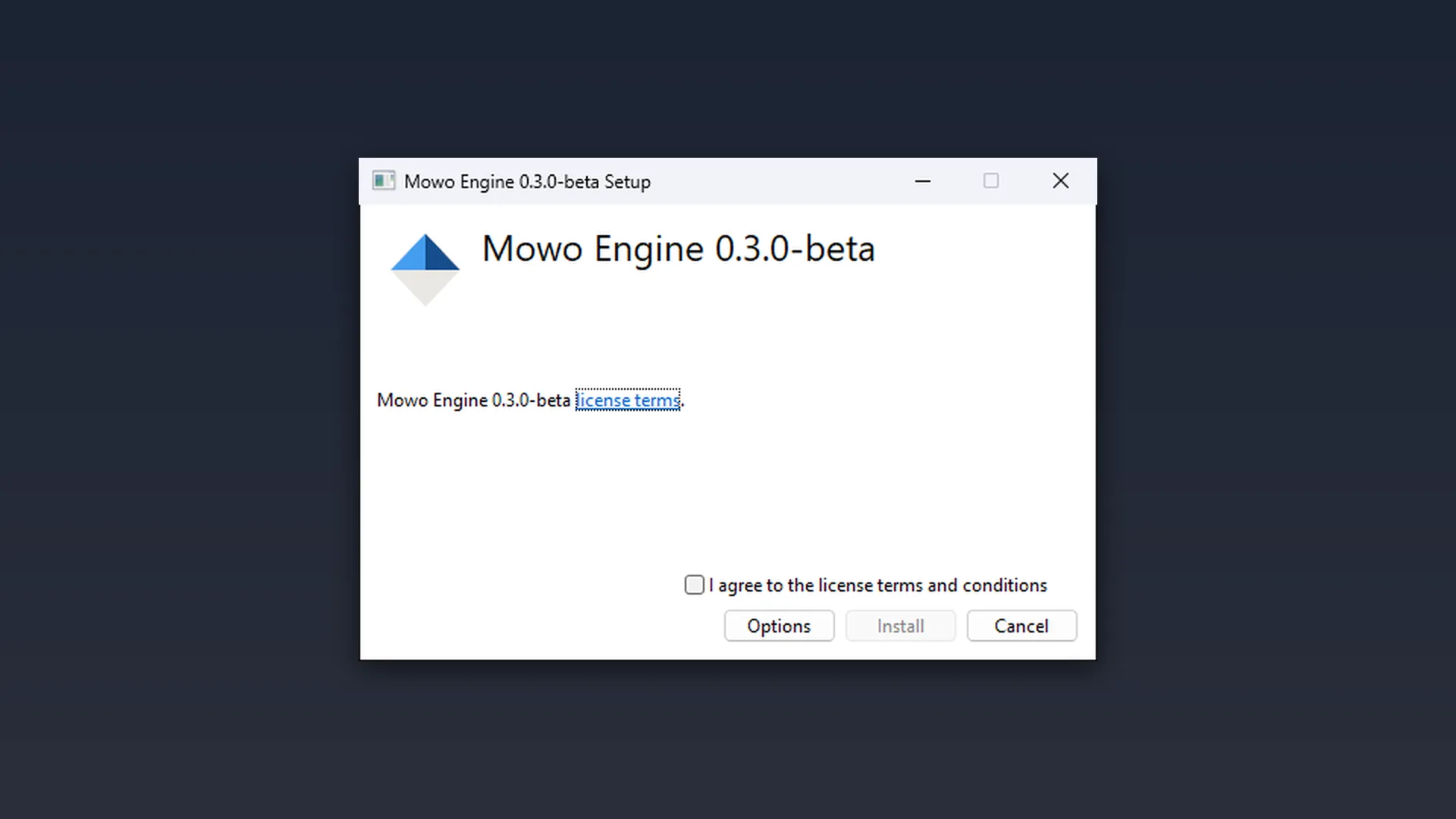
Accept the Personal (Beta) terms. Options changes the install folder; the default is
%LOCALAPPDATA%\Programs\Mowo Games\Mowo Engine 1.0. The installer adds a Mowo Engine 1.0 folder to the Start menu with Mowo Project Launcher and Mowo Editor, a Mowo Project Launcher 1.0 desktop shortcut, opens.mprojectfiles with the engine each project names, and registers the version with the Project Launcher. - Start the Project Launcher
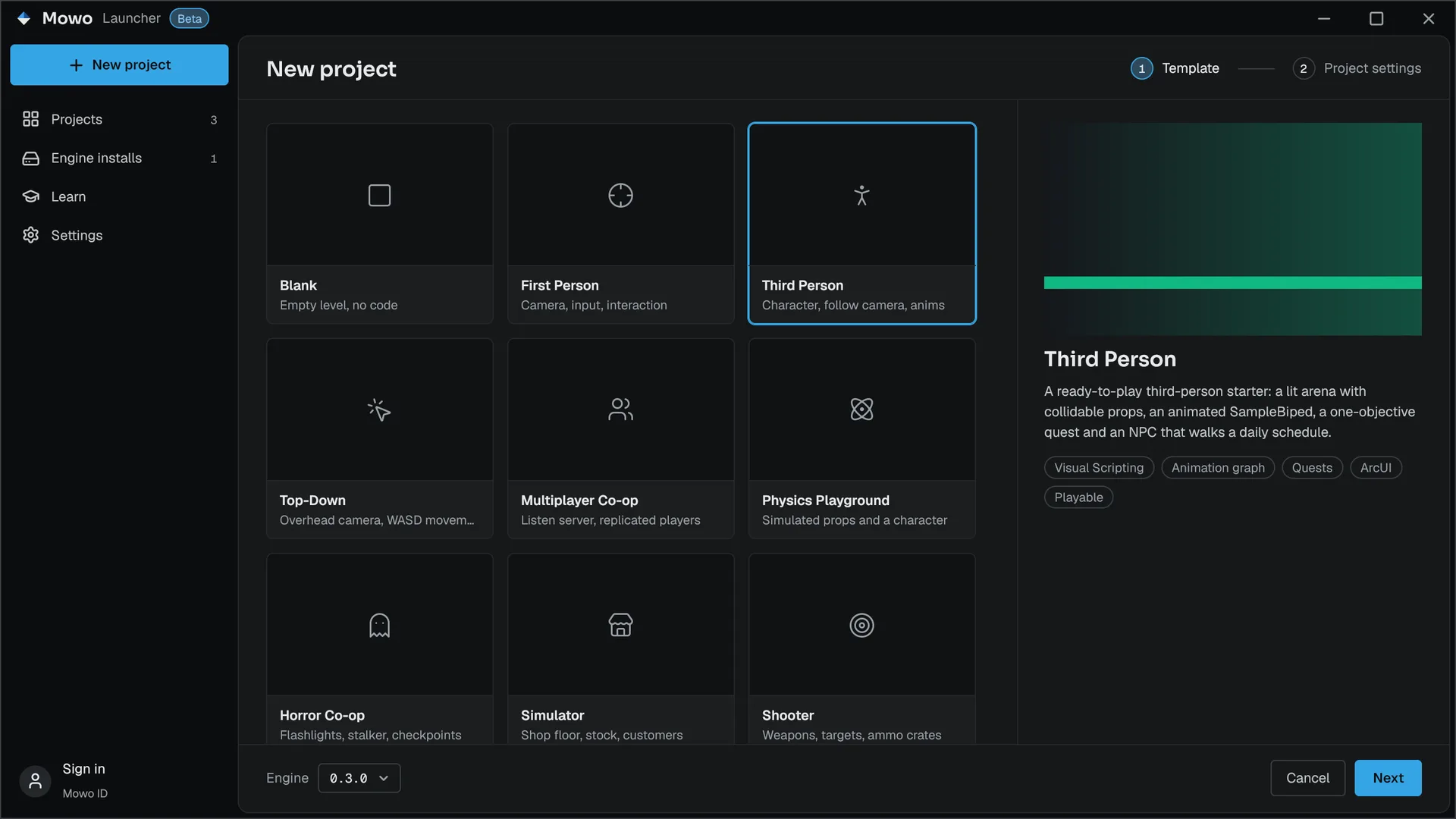
Open Mowo Project Launcher from the Start menu, sign in on its Account page and activate the computer. Then create a project from a template (Create a project).
Keep the install in your user profile. Building a game module and packaging a game write into the install folder, which a read-only Program Files location would refuse.
Versions side by side
Each minor version installs into its own folder, so Mowo Engine 1.0 and 1.1 live side by side and the Project Launcher lists both. Installing a patch of the same minor version, 1.0.1 over 1.0.0 for example, replaces it in place. A project opens in the version its .mproject names; Switch engine version... in a project file's right-click menu points it at another.
Silent install
The MSI installs without UI for scripted setups:
msiexec /i MowoEngine-1.0.0-win-x64.msi /qn INSTALLFOLDER="D:\Mowo\Mowo Engine 1.0" DESKTOPSHORTCUT=0Install the C++ toolchain
A game module is compiled with clang against the Microsoft C++ runtime and the Windows SDK. The installer does not bring them. Install:
| Component | Version | Where to get it |
|---|---|---|
| LLVM (clang-cl, lld-link) | 20.1 or newer, 23 preferred | llvm.org, or the C++ Clang tools for Windows component of Visual Studio |
| MSVC toolset (the C++ runtime and STL) | 14.38 or newer | Visual Studio or the Build Tools, workload Desktop development with C++ |
| Windows SDK | 10.0.22621.0 or newer | Same Visual Studio installer |
The minimum and preferred versions are read from Engine/Config/Toolchains.ini in the install Engine/Config/Toolchains.ini. Set LLVM_PATH to point mbt at a specific LLVM. You do not need the .NET SDK: the mbt in the install is self-contained.
Check your machine
Run mbt doctor from the install folder. It reports each toolchain component it found, its version against the pinned range, and what is missing:
cd "$env:LOCALAPPDATA\Programs\Mowo Games\Mowo Engine 1.0"
./mbt.cmd doctor
How mbt works in the installed build
The engine's modules come prebuilt, so mbt only compiles your project's modules:
- Name your module.
mbt build -t MyGame --extra-source D:/Projects/MyGame/Sourcebuilds theMyGamemodule; a barembt buildis refused. - The editor configuration is fixed. A game module you build for the editor builds in the configuration the editor ships as (
dev). Another-cis corrected, with a log line. - Packages are release or profile.
mbt package -c release(or-c profile) compiles your modules against the prebuilt release or profile game libraries the install ships and packages the game. See Package from the installed build. - Reflection code still generates. The header tool runs inside
mbtfor every module that usesMCLASSand the other markup.
Most of the time you do not call mbt yourself: the editor compiles and hot-reloads the game module (Working with C++). Your first build walks through both ways.
Package from the installed build
./mbt.cmd package --project D:/Projects/MyGame/MyGame.mproject -c release
./mbt.cmd package --project D:/Projects/MyGame/MyGame.mproject -c release --target Server
What differs from a package made from engine sources:
- The player is modular. The engine's libraries ship as DLLs beside the game's executable, the way the install carries them. A single-executable (monolithic) player needs a build from engine sources;
--monolithicis ignored with a log line. - Your
<Project>.Target.csdoes not relink the host. The package uses the prebuilt game host under your product name and loads your modules beside it. Target-level settings in that file other than the module list have no effect. - The dedicated server packages in release only.
- Auto-subtitles ship without the speech model, which the install does not carry.
A project without C++ packages with no compiler at all. Material graphs compile into a MaterialShaders.meaf beside the game, with the shader compiler the install carries.
What the install contains
The engine ships built, not as source: the editor and game libraries, the engine's shaders compiled into Shaders.meaf, plugins as built modules with their manifests, content and public headers, and only the headers and import libraries a game module compiles and links against. There are no engine .cpp files, .Build.cs files, static libraries or HLSL sources in the install. A game module may depend on the modules listed in the scripting API and on plugin modules; depending on an engine-internal module such as RHI fails with a message that lists what you can use.
Uninstalling
Uninstalling removes one version. Your projects are never touched; keep them outside the install folder, because the whole install folder goes, including game modules and packages that were built into it.
Choose one of:
- Start menu: Mowo Engine 1.0 > Uninstall Mowo Engine 1.0.
- Project Launcher: on the Engine installs page, open the version's ... menu and choose Uninstall.... The launcher asks first, says so when it runs from that very version, and offers Uninstall and remove caches and settings.
- Settings > Apps > Installed apps: Mowo Engine 1.0.0, then Uninstall. Running the setup file again offers Repair and Uninstall too.
- Scripts:
MowoEngineSetup-1.0.0-win-x64.exe /uninstall /quiet, ormsiexec /x <ProductCode> /qnfor an MSI install.
The uninstaller removes the files, the Start menu folder, the desktop shortcut, the .mproject association and the version's entry in the Project Launcher's list.
Your caches and settings in %LOCALAPPDATA%\MowoEngine (derived data, logs, crash reports, user settings and the license lease) stay, so a reinstall finds you signed in and activated. To remove them as well, choose Uninstall and remove caches and settings in the Project Launcher, or add REMOVEUSERDATA=1 (RemoveUserData=1 for the setup file); that also signs this computer out of Mowo ID.
Troubleshooting
| Symptom | Fix |
|---|---|
| The editor refuses to start and offers the Project Launcher | This computer has no valid license lease. Sign in and activate it in the Project Launcher (license). |
mbt doctor reports no clang | Install LLVM, or set LLVM_PATH to its folder. |
mbt doctor reports no MSVC toolset or Windows SDK | Add the Desktop development with C++ workload in the Visual Studio installer. |
| A build fails with permission denied on a DLL | A running editor or game holds the file. Close it and build again. |
| "Mowo Engine file '...' is damaged or was modified. Please reinstall or repair Mowo Engine." | The editor or a packaged game checks the engine libraries Mowo Games signed before it uses them, and that file is not the one that shipped (a disk error, an interrupted update, or something replaced it). Run the setup file again and choose Repair, or reinstall; for a packaged game, package it again. Your game modules and your own plugins are never checked. |
mbt package says the install ships no game libraries for a configuration | Package in release or profile; dev and debug packages need a build from engine sources. |
Next steps
Engine sources
This page describes behavior implemented in these files of the engine repository, checked against commit babcdb42e.
- Engine/Config/Toolchains.ini