 Mowo
Bundled PSO cache
Record or gather the pipelines your game creates, commit them, and let the packaged game compile them behind the loading screen.
The first time a GPU driver sees a pipeline, it compiles the shader bytecode into the GPU's own instruction set. If that happens during play, the player sees a hitch. A bundled PSO cache moves that work to startup: development runs record which pipelines the game creates, the result ships with the package, and the packaged game creates every recorded pipeline before its first frame.
The cache stores backend-independent descriptions of each pipeline (shader identity, render state and formats), not driver blobs. One recording, made on any GPU, prewarms every player's machine on every graphics API.
How it works
- Record or gather
- Promote to Config/
- Commit
- mbt package ships it
- Prewarm at startup
- Record. Every pipeline a development build creates is added to
Saved/PsoCache/PsoCache.mdfbin your project, deduplicated by content. The file grows across sessions, so playing more of the game records more coverage. Recording is on by default whenever a project is open in a build that is notreleaseorprofile. - Promote. A deliberate step copies the recording to
Config/PsoCache.mdfbEngine/Source/Runtime/Core/Public/Core/ProjectLayout.h.Saved/is per developer and ignored by git;Config/is committed. So what a build ships is a choice someone made, not whichever machine last played the game. - Ship.
mbt packagecopiesConfig/PsoCache.mdfbinto the package asCache/PsoCache.mdfb. Server packages skip it, because they create no pipelines. - Prewarm. After the level loads and before the scene renderer builds its pipelines, the packaged game creates every recorded pipeline in parallel on the job workers. The window keeps presenting its startup frame meanwhile, and the log records
[Runtime] PSO prewarm: N pipelines in M ms.
Record and promote a cache
- Play the game in a development build
Run the game or Play In Editor in a
debugordevbuild with your project open. Visit the levels, effects and materials a player will see. Pipelines you never trigger are not recorded; they still work, but compile on first use. - Promote the recording
From the command line:
PowerShell./mbt.cmd package --project D:/Projects/MyGame/MyGame.mproject --promote-pso-cacheThe promote runs before packaging and fails the command when there is no recording yet.
Or in the editor: open Build > Package Project… and right-click the profile header. It shows the size and age of your recording next to the committed file, and Promote Recorded PSO Cache stays disabled until a recording exists.
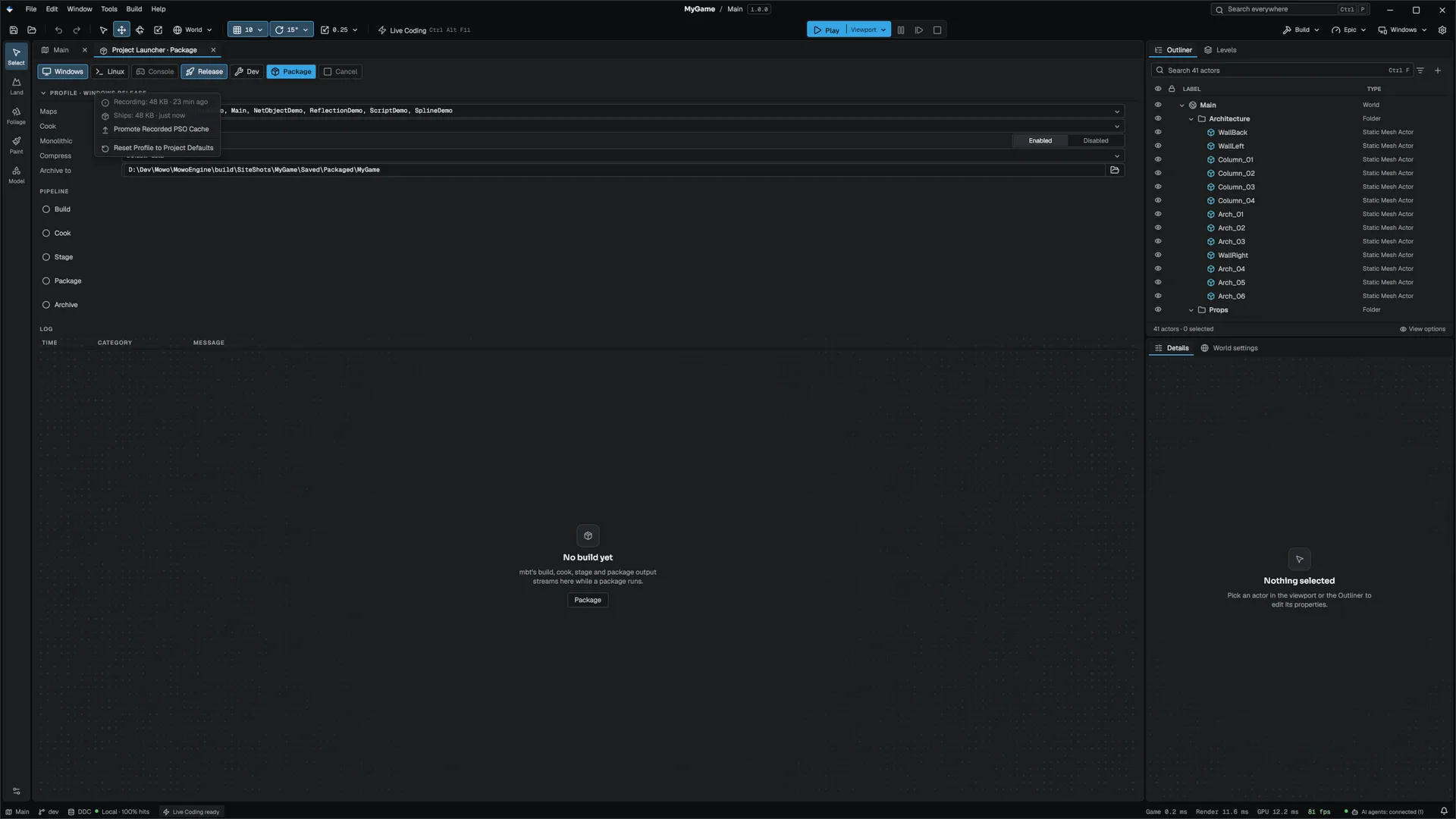
- Commit Config/PsoCache.mdfb
Commit the file like any other project config. Every build made from that commit ships the same cache.
Without a committed cache, mbt package still succeeds but warns that the package ships with a cold pipeline cache and will hitch on first use of every shader.
Gather from the content
A recording covers only what somebody played. A material used only by a skinned mesh nobody reached has no record. The gather builds the cache from the content instead:
./mbt.cmd package --project D:/Projects/MyGame/MyGame.mproject --gather-psoBefore packaging, it runs a dev or debug MowoGame over your project. The game loads every material the asset registry knows and starts every pipeline variant each one can need: static, skinned, instanced, meshlet, shadow, velocity and forward, plus the decal variant of each material a decal in your levels uses. The records merge into the committed Config/PsoCache.mdfb. It needs a GPU and a dev or debug MowoGame build. Commit the result.
Console variables
| Variable | Default | Meaning |
|---|---|---|
r.PSOCache.Record | -1 | -1 records automatically when a project is open in a build that is not release or profile; 0 off; 1 on |
r.PSOCache.Prewarm | 1 | Prewarm from the bundled cache at game startup |
See the console variables reference.
Where the game looks for the cache
The packaged game looks for Cache/PsoCache.mdfb under its game root, then relative to the working directory, then the older PsoCache/PsoCache.mdfb. A development run of the player without a bundled cache prewarms from the project's own Saved/ recording instead.
Test a first launch
A development machine has a warm driver shader cache, which hides exactly the cost a new player pays. On D3D12, start the game with --cold-shader-cache to reproduce a first launch: it disables the driver's shader cache for that process and bypasses the engine's pipeline library. Disabling the driver cache needs Windows Developer Mode.
Notes
- The record format is versioned. A file with an unknown version is skipped as a whole rather than misread, and a change to the engine's pipeline layouts raises the version, so an old cache is ignored rather than prewarming pipelines nothing uses. Record or gather again after such an engine update.
- A recorded pipeline whose shader no longer exists, or whose vertex layout no longer matches, is skipped at prewarm, and the log counts the stale records.
Related
Engine sources
This page describes behavior implemented in these files of the engine repository, checked against commit aee5cfcae.
- Engine/Source/Runtime/RHI/Public/RHI/PsoCache.h
- Engine/Source/Runtime/Core/Public/Core/ProjectLayout.h