 Mowo
Sequencer and cinematics
Author level sequences with transform, camera-cut, property, material, animation, audio, event and fade tracks, play them in game, and render them to video.
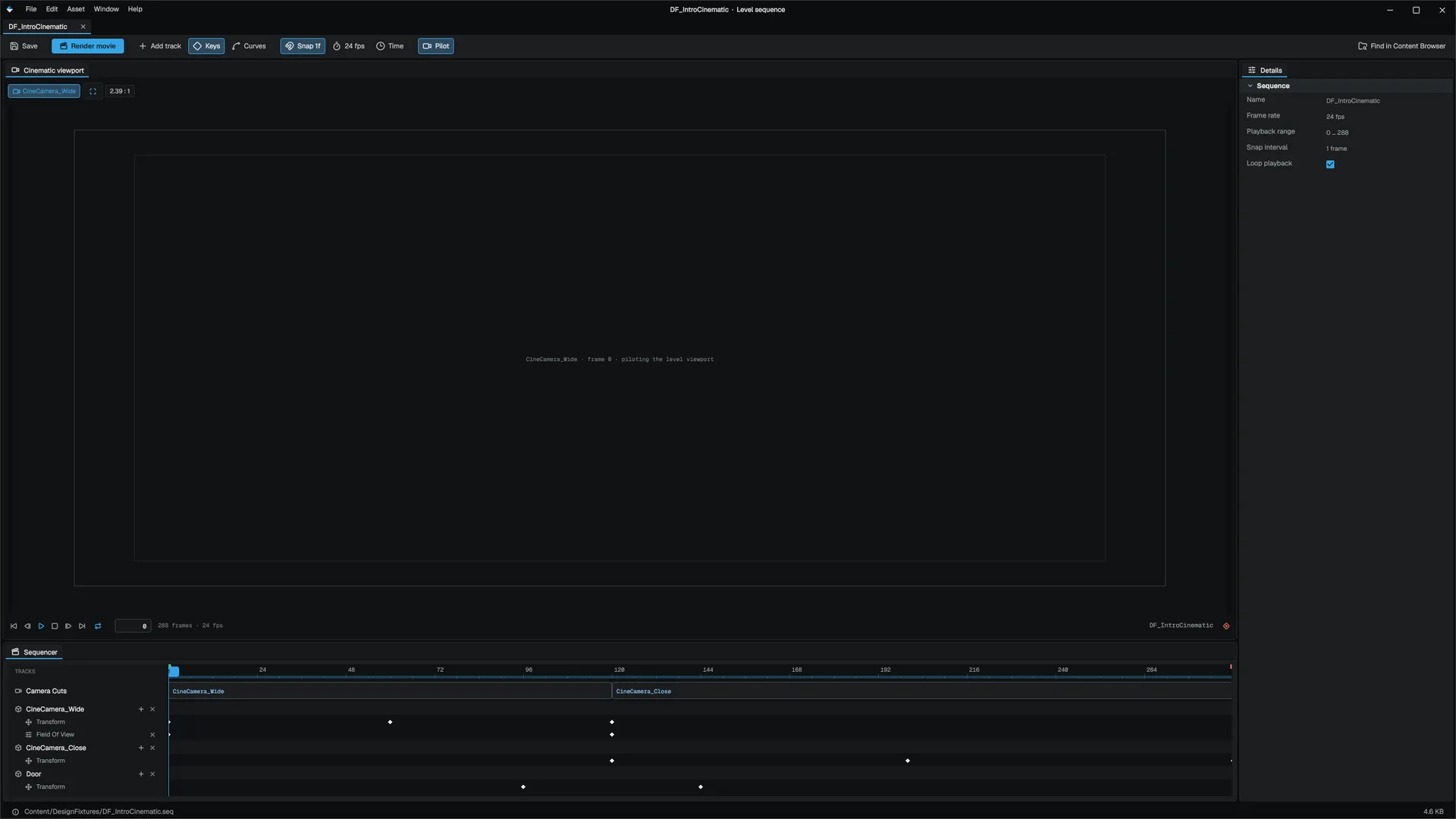
A level sequence (.seq) is a timeline that animates actors in the level: moves them, cuts between cameras, drives properties and materials, plays animation and audio, and fires events. Use it for cutscenes, scripted moments and trailers. It is the Sequencer of Unreal, authored in the Sequencer editor.
Author a sequence
A sequence has a frame rate, a playback range and a list of bindings, each pointing at an actor in the level and holding that actor's tracks. SequenceAsset
| Track | Animates |
|---|---|
| Transform | Position, rotation and scale keys, with Linear, Cubic or Constant interpolation |
| Visibility | Show and hide |
| Camera cuts | Which camera the view uses, frame by frame |
| Property | Any reflected property: scalar, bool, integer or vector |
| Material | Material parameters, scalar or color |
| Skeletal animation | Clips on a skeletal mesh |
| Audio | Clips placed on the timeline |
| Event | Named events at frames |
| Fade | Fades the screen to and from a color |
Play a sequence
Add a SequencePlayer component (category Cinematics) to an actor and set sequencePath. SequencePlayerComponent
| Field | Effect |
|---|---|
autoPlay | Starts when play begins |
loop, playRate | Playback |
suppressPlayerInput | Blocks player input while it plays (on by default) |
skippable | The player can skip it |
From Visual Scripting or C++, MSequenceStatics controls playback: PlaySequence(actor), PlaySequenceByPath(path, loop), StopSequence, SkipSequence and IsSequencePlaying. MSequenceStatics
While a sequence with camera cuts plays, it overrides the view; when it ends, the view returns to the gameplay camera. See Cameras.
Events
An event key fires a SequenceNamedEvent on the engine's event bus with the event name, the sequence and the frame, and calls the OnSequenceEvent event on bound Visual Scripting actors with the event name. Use events to start dialogue, spawn effects or open doors on cue. SequenceNamedEvent
Render to video
The Sequencer editor renders a sequence to disk as a PNG sequence, Motion JPEG AVI, or H.264 MP4 with the audio mix, or a PNG sequence plus a video. Only the MP4 output carries audio. EMovieRenderFormat
Related
Engine sources
This page describes behavior implemented in these files of the engine repository, checked against commit 5922e6e5e.
- Engine/Source/Runtime/Sequencer/Public/Sequencer/SequenceAsset.h
- Engine/Source/Runtime/Sequencer/Public/Sequencer/SequencePlayerComponent.h
- Engine/Source/Runtime/Sequencer/Public/Sequencer/SequencePlayerSystem.h
- Engine/Source/Runtime/Sequencer/Public/Sequencer/MSequenceStatics.h
- Engine/Source/Runtime/Sequencer/Public/Sequencer/SequenceEvents.h
- Engine/Source/Runtime/Sequencer/Public/Sequencer/MovieRenderOutput.h