 Mowo
Animation
Skeletons, clips, the Animator component, animation graphs with state machines and blend spaces, layers, root motion and update-rate LOD.
A skinned character plays animation through an Animator component. The Animator holds the skeleton, the clips and an animation graph, and the animation system turns them into one set of bone matrices per frame for the renderer. This page covers the base pipeline. One-shot animations are on Montages and notifies, and IK, retargeting and motion matching on IK, retargeting and motion matching.
The pose pipeline
Every animated character goes through the same steps each frame. Only the pose source changes: a state machine, a blend space or motion matching.
- Pose source
- Sample clips
- Blend and layers
- Montages
- Inertialize transitions
- IK and procedural bones
- Root motion and warping
- Skinning matrices
Assets
| Asset | Extension | What it holds |
|---|---|---|
| Skeleton | .skel | Bone hierarchy and bind pose Skeleton |
| Animation sequence | .anim | Keyframed bone tracks, curves and notifies AnimationClip |
| Animation graph | .animgraph | State machine, blend spaces, graph nodes, mirror tables and blend profiles AnimationController |
| Montage | .montage | A one-shot animation with sections |
| Pose asset | .pose | Named poses, applied as deltas or full poses FPoseAsset |
| Mirror table | .mirror | Left/right bone pairs for mirroring FMirrorTable |
Skeletal meshes and their clips are imported from FBX or glTF; see Importing assets. Inspect a skeleton, its sockets and its clips in the Skeletal Mesh editor.
The Animator component
AnimatorComponent is the per-entity animation state: the skeleton, the clip list, the controller (controllerPath names the .animgraph), blend layers, montage players, root-motion output and the final boneMatrices. AnimatorComponent
On an actor, use MSkeletalMeshComponent, which owns the mesh and its animator. Its functions are also Visual Scripting nodes: MSkeletalMeshComponent
| Function | Effect |
|---|---|
PlayAnimationAsset(clip, loop), PlayAnimation(index, loop), StopAnimation(), SetPlayRate(rate) | Play a single clip without a graph |
SetAnimBool, SetAnimFloat, SetAnimTrigger | Set a parameter on the animation graph |
GetCurrentAnimState() | The state machine's current state |
GetAnimCurveValue(name) | A curve's value this frame |
PlayMontage, StopMontage, IsMontagePlaying | See Montages and notifies |
#include "Game/MSkeletalMeshComponent.h"

Mowo::MSkeletalMeshComponent* mesh = nullptr;
float speed = 3.2f;
bool grounded = true;

mesh->SetAnimFloat("Speed", speed);
mesh->SetAnimBool("Grounded", grounded);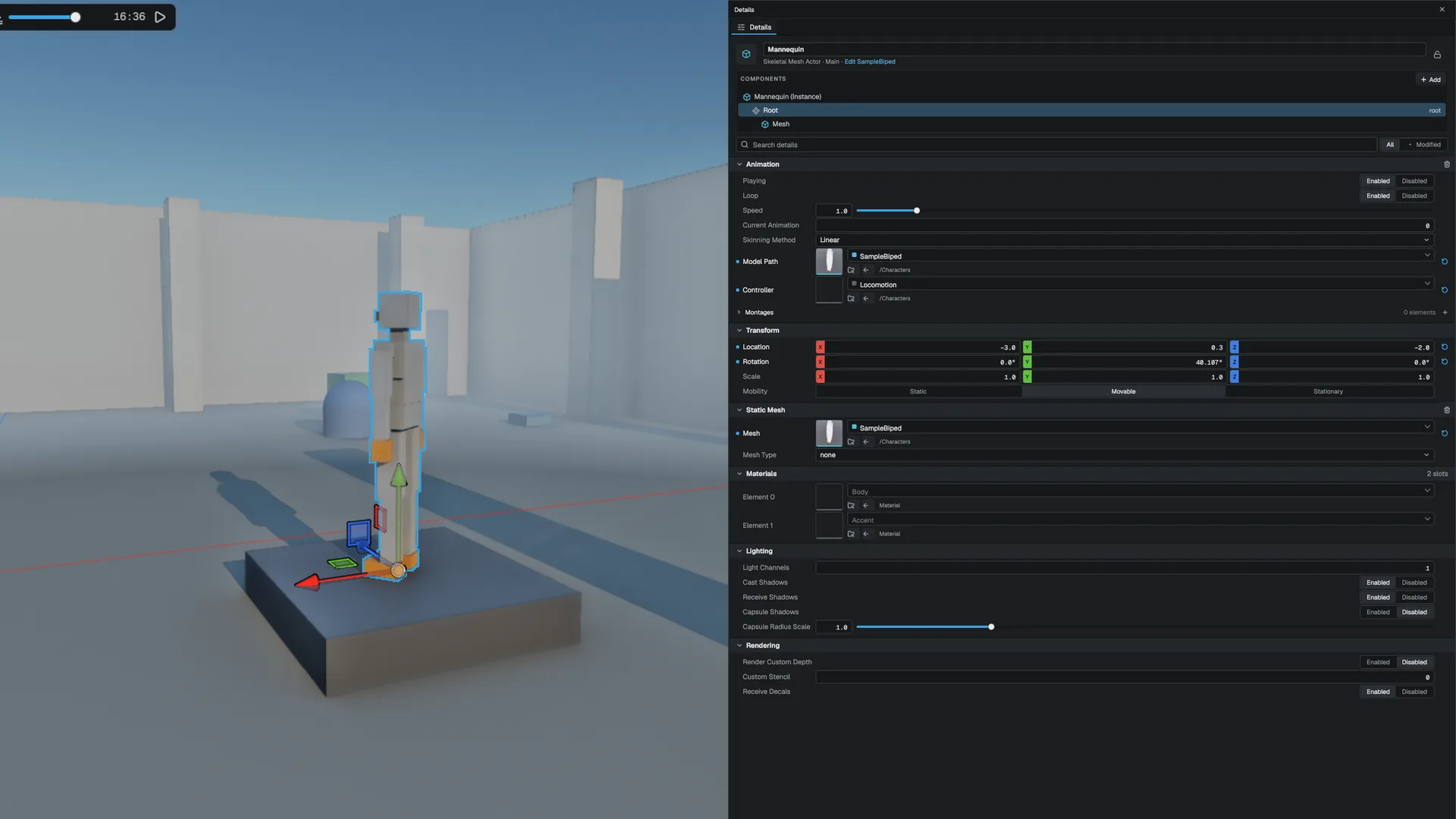
State machines
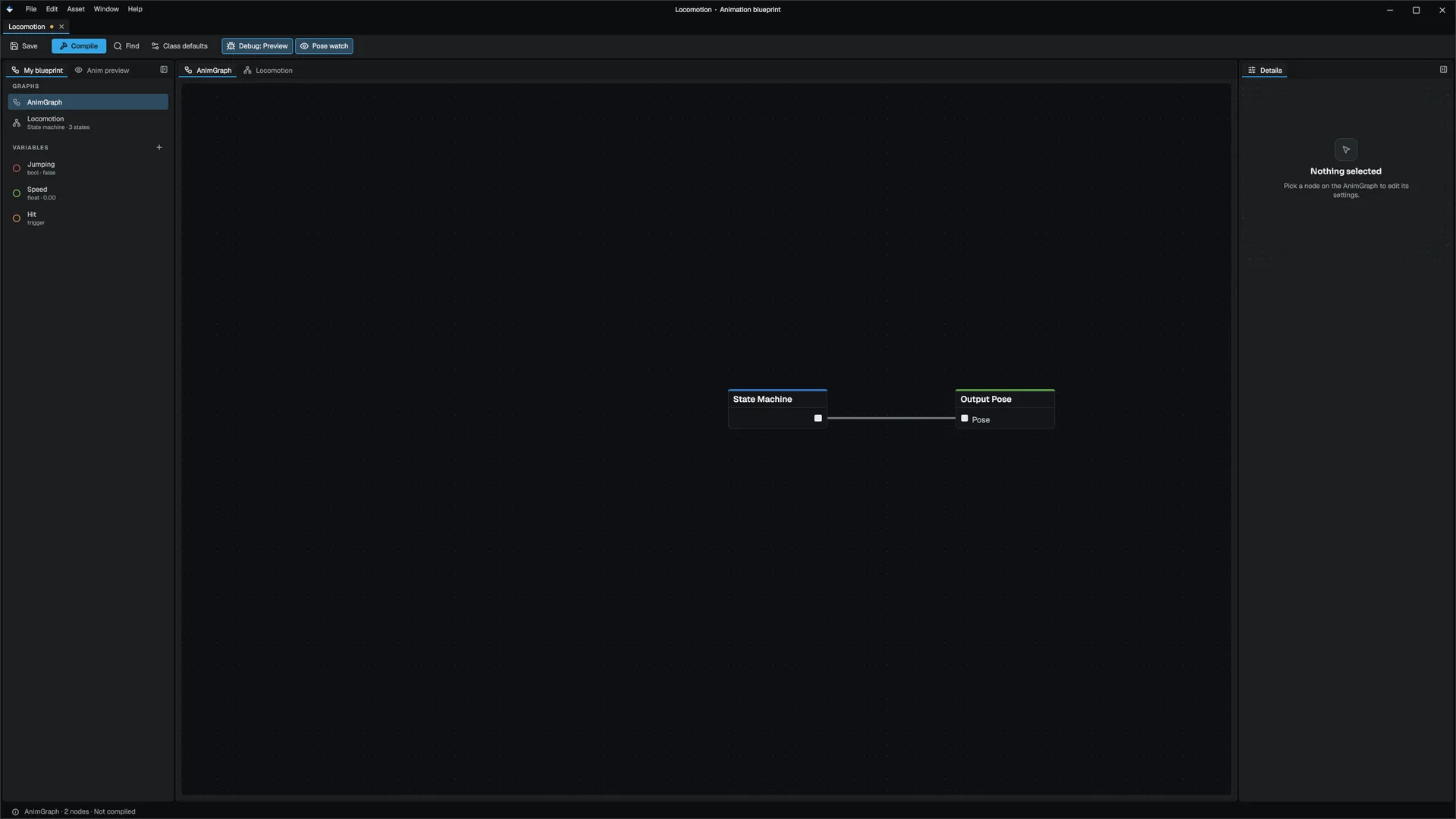
The graph's state machine is a set of states joined by transitions. Each state plays a clip, a 1D blend space or a 2D blend space. Transitions test conditions on bool, int, float and trigger parameters. A trigger resets once a transition consumes it. AnimationController::SetTrigger
You author the graph in the Animation Graph editor. See Asset editors.
Transitions
A transition switches state at once and then eases the old on-screen pose into the new one with inertialization, so you do not pay to keep the old clip playing. FInertializer
- Interruption. While a blend is still open, only a transition with a strictly higher
prioritycan cut in. The cut starts from the current blended pose, so hit reactions and dodges stay smooth. - Blend profiles. A transition can name a blend profile to give each bone its own blend time, for example a faster upper body. FBlendProfile
Blend spaces
A state can blend between several clips by parameter instead of playing one. BlendSpace2D
- 1D: two bracketing clips along one axis, such as idle, walk and run by speed.
- 2D: up to three nearest clips on a grid, such as eight-way strafing by forward and sideways speed. A 2D space takes precedence when both are set.
Blend-space clips are sampled at the same normalized phase, so a short walk and a long run stay foot-synced instead of sliding. Author blend spaces in the Blend Space editor.
Sync groups
States that share a syncGroup keep their phase aligned. When a transition enters a state in a group, the new clip starts at the leader's phase instead of at zero, so a walk-to-run change does not pop a foot. Each state's syncRole is Auto, Leader or Follower.
Graph nodes
Beyond the state machine, the .animgraph holds a node network that runs after it. Node kinds include StateMachine, Clip, BlendByFloat, BlendByBool, LayeredBlend, SavePose and UsePose, Mirror, AimOffset, BlendSpacePlayer, SequenceEvaluator, RandomPlayer, ModifyBone, CopyBone, LookAt, TwoBoneIK, OrientationWarp, StrideWarp, SlopeWarp, Slot for montages, the pose-asset nodes PoseByName, PoseBlender and PoseDriver, TwistCorrective, and LinkedLayer for swapping in another graph. FAnimGraph Per-entity state lives on the instance, never on the shared asset, so one graph drives any number of characters.
- Layered blend per bone blends poses over a base by per-bone weights.
Overridelayers replace;Additivelayers add a delta, in local or mesh space. This is how an upper-body aim layers over locomotion. - Mirror tables pair left and right bones.
AutoGeneratefinds pairs from naming patterns such as_land_r; hand-authored pairs are kept. - Pose assets store a handful of tracked bones per pose, for correctives, facial shapes and hand grips.
Layers
AnimationLayer entries on the Animator blend extra clips over the base pose without a graph: Override or Additive mode, a weight, a speed, a bone mask and optional per-bone weights. AnimationLayer
Root motion
When rootMotionEnabled is set on the Animator, the root bone's movement each frame is extracted instead of played. Set useRootMotion on the character's CharacterMovement component and that movement drives the capsule: horizontal speed comes from the clip, so turn-in-place, pivots and stops match the animation. See Character movement. Motion warping bends root motion onto a gameplay target; see Montages and notifies.
For root motion in multiplayer, see Multiplayer.
Performance
The animation system evaluates animators in parallel and can lower the update rate of distant or unseen characters. Skipped frames bank their time, so playback speed stays correct.
| Console variable | Default | Effect |
|---|---|---|
a.LOD | -1 | Update-rate LOD around the focus: -1 on while a focus is set, 0 off, 1 on |
a.LODNearRadius, a.LODNearInterval | 30, 4 | Beyond 30 m, sample every 4th frame |
a.LODFarRadius, a.LODFarInterval | 120, 16 | Beyond 120 m, sample every 16th frame |
a.OffscreenInterval | 0 | Frame interval for animators not drawn for two updates; 0 keeps them at full rate |
a.BudgetMs | 0 | Per-frame evaluation budget; the lowest-priority animators are deferred. 0 means no budget. |
a.BudgetMaxDeferFrames | 8 | Frames one animator may be deferred in a row |
a.LODBoneMask | 1 | Skips the bones a skeleton LOD removes |
Clips are compressed at import with a per-clip error tolerance and optional per-bone budgets. Engine/Source/Runtime/Animation/Public/Animation/AnimationCompression.h
Related
- Montages and notifies
- IK, retargeting and motion matching
- Vehicles, cloth and ragdolls for physical animation and ragdolls
- Asset editors
- API: Animation module, Game module
Engine sources
This page describes behavior implemented in these files of the engine repository, checked against commit 5922e6e5e.
- Engine/Source/Runtime/Animation/Public/Animation/Skeleton.h
- Engine/Source/Runtime/Animation/Public/Animation/AnimationClip.h
- Engine/Source/Runtime/Animation/Public/Animation/AnimationController.h
- Engine/Source/Runtime/Animation/Public/Animation/AnimGraph.h
- Engine/Source/Runtime/Animation/Public/Animation/AnimGraphNodes.h
- Engine/Source/Runtime/Animation/Public/Animation/AnimGraphRegistry.h
- Engine/Source/Runtime/Animation/Public/Animation/BlendSpace.h
- Engine/Source/Runtime/Animation/Public/Animation/BlendProfile.h
- Engine/Source/Runtime/Animation/Public/Animation/MirrorTable.h
- Engine/Source/Runtime/Animation/Public/Animation/PoseAsset.h
- Engine/Source/Runtime/Animation/Public/Animation/Inertialization.h
- Engine/Source/Runtime/Animation/Public/Animation/AnimationCompression.h
- Engine/Source/Runtime/Animation/Public/Animation/Components/AnimatorComponent.h
- Engine/Source/Runtime/Game/Public/Animation/AnimationSystem.h
- Engine/Source/Runtime/Game/Public/Game/MSkeletalMeshComponent.h
- Engine/Source/Runtime/Physics/Public/Physics/Components/CharacterMovementComponent.h