 Mowo
Functions, macros and dispatchers
Factor graphs into functions and macros, choose between them, and broadcast events to other actors with dispatchers.
Once a graph grows past a screen, factor it. Visual Scripting gives you two tools with different rules: a function is called, and a macro is pasted in. A third tool, the event dispatcher, lets one actor announce something and any number of others respond.
Functions
A function is a named sub-graph with typed parameters, call-local variables and an optional return value VisualScriptFunction. It runs to completion and hands back its result.
- Add a function
Click + in the Functions section of My Visual Script. The function opens in its own tab with an entry node.
- Declare parameters and locals
In the function's details, add inputs and locals. Parameter types in the picker are Boolean, Integer, Float and String. Each parameter is an output pin on the entry node. Get Parameter reads one anywhere in the graph.
- Return a value
End the graph with a Return node. Its input sets the return value.
- Call it
Drag the function from My Visual Script onto another graph. The call node's inputs become the parameters, and its data output is the return value.
Locals are seeded from their defaults on every call and discarded when it returns, so repeated and recursive calls never share them. Get Local Variable and Set Local Variable reach them. A function runs in a child scope that shares the instance's class variables. It may call itself, up to a depth of 64.
A function cannot suspend. A Delay or Timeline inside a function runs instantly VisualScriptContext, an Async Action logs an error and stops the chain, and Collapse to Function refuses a selection that contains a latent node. Use a macro when you need a wait.
Pure functions
Tick Pure on a function and its call node loses its exec pins. The VM runs the function on demand each time a downstream pin reads the result. Use it for computed getters such as IsPlayerInRange or GetHealthPercent.
A reflected C++ function declared const is pure the same way. You do not need to mark it.
RPC functions
A function's Details include Replication (Not replicated, Server, Client, Multicast) and Reliable. A replicated function is routed across the session instead of running wherever the call happens:
| Flag | Called on the authority | Called on a client |
|---|---|---|
| Server | Runs locally | Sent to the server, not run locally |
| Client | Sent to the owning client (runs locally when the owner is the listen host) | Runs locally |
| Multicast | Runs locally and is sent to every client | Runs locally only |
Outside a session everything runs locally. A call that must travel but cannot is dropped with an error, never run on the wrong machine. An RPC must return nothing and must not be pure.
Macros
A macro is a sub-graph that is inlined when the class registers. The VM never sees a macro node: every event graph and function has its macro instances expanded in place first. The definitions stay on the class, so a child class can use its parent's macros and the editor keeps showing the unexpanded form.
Because a macro is pasted in rather than called, it can do two things a function cannot:
- Several exec inputs and outputs. A function has one way in and one way out.
- Latent nodes and Break Loop work. After expansion the macro body is part of the caller's graph, so a Delay suspends the caller, and a Break Loop finds the caller's loop.
Add one with + in the Macros section. Its body starts at a Macro Input node, whose outputs are the macro's inputs, and ends at Macro Output nodes. Reaching a Macro Output at pin N fires the macro's exec output N.
Standard macros
Two macros ship with the engine and appear under Macros (Standard) in every class:
| Macro | Inputs | Outputs | Does |
|---|---|---|---|
IsValidBranch | In (exec), Object | IsValid, NotValid (exec) | Checks an object and branches in one node. |
ForEachWithBreak | In (exec), Array, Break (exec) | LoopBody (exec), Element, Index, Completed (exec) | A For Each whose body can fire Break to stop early. |
Choose between them
- Need a Delay, Timeline or Break Loop?
- Need several exec ins or outs?
- Need a value in an expression?
- Function
Start with a function. It has its own scope, it shows up in the debugger's call stack as its own frame, and it is easier to reason about. Reach for a macro only when you need a wait, a break or more than one exec path.
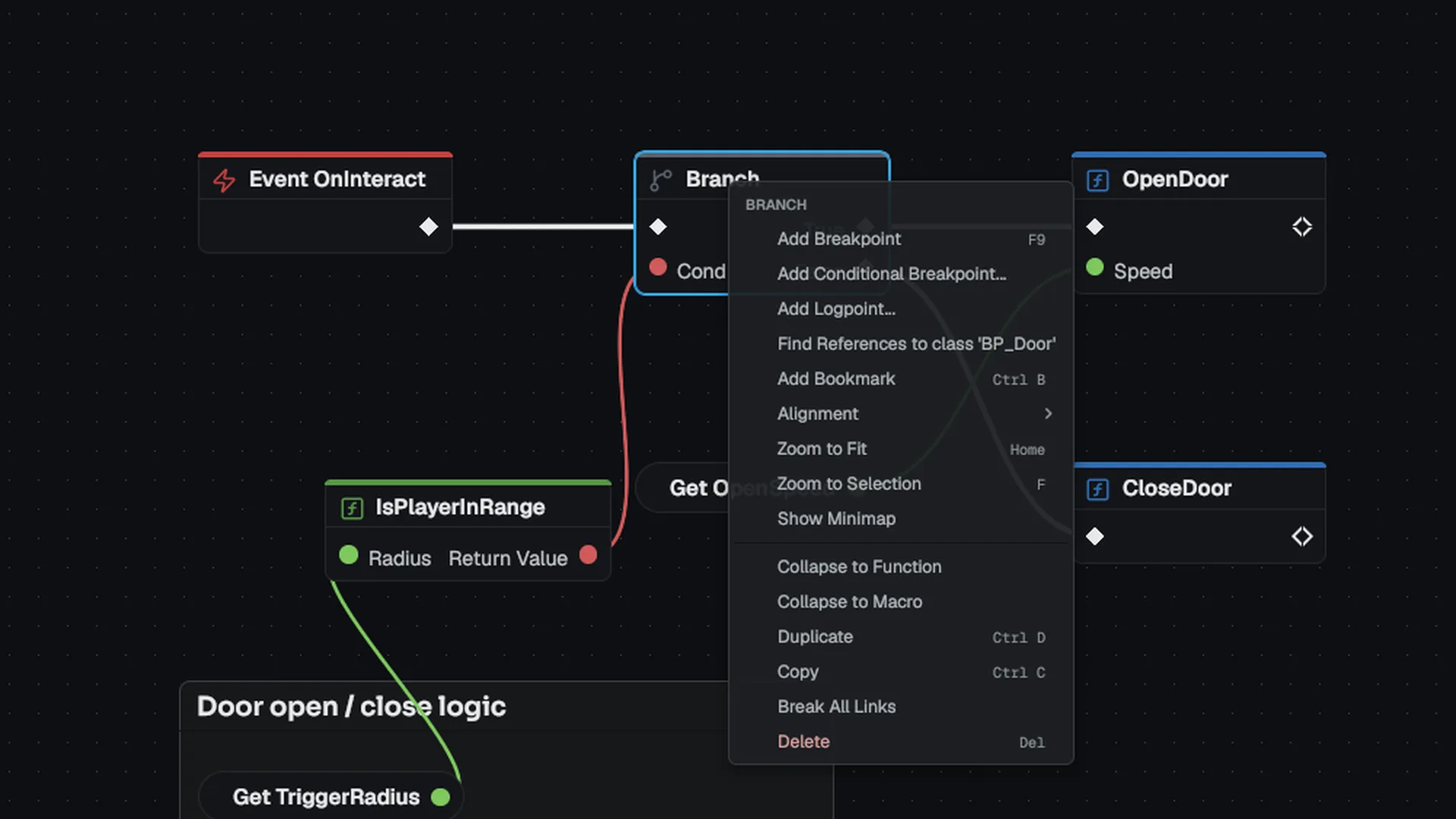
Collapse to Function and Collapse to Macro in the node context menu turn a selection into either one, rewired to the same neighbors.
Event dispatchers
A dispatcher is a multicast event: a name plus a parameter list. A Broadcast node fires every bound handler and passes the broadcast arguments as the handler's parameters VisualScriptDispatcher. Handlers are functions.
- Declare it
Click + in Event dispatchers and give it a name and parameters, for example
OnOpened. - Broadcast it
Where the event happens, add a Broadcast node for the dispatcher and wire the arguments.
- Listen from another actor
In the listening class, add Bind Event On Target. Wire the broadcasting actor into its Target pin and name one of the listener's own functions as the handler. Unbind Event On Target removes the binding.
When the target broadcasts, the listener's handler runs in the listener's context, with its own variables. An unlinked Target pin means self.
Bindings are safe to leave behind:
- The registry holds both ends weakly and prunes bindings to dead actors when it broadcasts.
- When an actor ends play, every binding that mentions it is removed.
- On hot reload, bindings move to the new class definition.
- More than 32 nested cross-actor broadcasts are refused VisualScriptDispatcherRegistry.
Next
- Classes and inheritance: how functions and dispatchers resolve through a parent chain.
- Calling C++: reflected functions as nodes.
Engine sources
This page describes behavior implemented in these files of the engine repository, checked against commit 5922e6e5e.
- Engine/Source/Runtime/VisualScripting/Public/VisualScripting/VisualScriptClass.h
- Engine/Source/Runtime/VisualScripting/Public/VisualScripting/VisualScriptVM.h
- Engine/Source/Runtime/VisualScripting/Public/VisualScripting/VisualScriptDispatcherRegistry.h