 Mowo
Targets and link modes
Which target a package builds, how a dedicated server package differs, and when to ship a monolithic or a modular build.
Two choices shape every package: which target you build, and how the engine is linked into it. The target decides which executable ships and what code it contains. The link mode decides whether the engine arrives as many libraries or inside one executable.
Targets
A target is a <Target>.Target.cs file that names a launch module, a target type and the definitions its build applies, as in Unreal's build tool. Modules and targets explains the file. The engine's targets that matter for shipping:
| Target | Type | Launch module | What it adds | Packaged by |
|---|---|---|---|---|
MowoGame | Game | MowoGame | nothing | mbt package (default) |
MowoServer | Server | MowoServer | WITH_SERVER=1 | mbt package --target Server |
A project created from a template carries its own targets in Source/: <Project>.Target.cs (type Game, launch module MowoGame, OutputName the project, the game module in ExtraModuleNames) and <Project>Editor.Target.cs Templates/TP_Coop/Source/TP_Coop.Target.cs. mbt package builds the game host through the project's own target: the only .Target.cs in Source/, or the one named after the .mproject when there are several. Without one it builds the engine's MowoGame target with the project's Source/ modules added. Either way the staged host is named after the product: Binaries/<platform>/<Product>.exe.
mbt package accepts --target Game (the default) and --target Server.
The installed editor build ships the engine prebuilt in the dev configuration, and mbt builds your game module in that configuration only. Packages made from it are therefore dev packages. A dedicated server package needs the Server target's own engine build, which the installed build does not include yet.
The dedicated server package
mbt package --target Server packages MowoServer, the headless dedicated server. It is a separate product with its own layout:
- It builds the Server target, whose module set leaves the GPU backends and the scene renderer out.
- It skips shader compilation and ships no shader archives, no engine content and no PSO cache.
- The host is
Binaries/<platform>/<Product>Server.exebehind a console launcher<Product>Server.exeat the package root. - It lands in
Saved/Packaged/<Product>Server, beside the game package and never inside it. A configuredoutputDirgets theServersuffix too. - It keeps its content in named archives and a
Manifest.txtat its root, becauseMowoServermounts by name. - It ships no crash reporter and no VC++ redist fallback. Server fleets collect dumps and logs through their orchestrator.
- Enabled plugins ship with it too, unless a plugin's manifest sets
"server": false. - It stays modular unless you pass
--monolithic.
./mbt.cmd package --project D:/Projects/MyGame/MyGame.mproject --target ServerThe server listens on --port (7777 by default) and ticks at --tickrate (60 by default). The editor's packaging window does not build servers.
Monolithic and modular
| Monolithic | Modular | |
|---|---|---|
| Default for | release and profile game packages | debug, dev, debuggame, and every server package |
| Option | --monolithic | --modular |
| Engine code | linked into the host executable | one DLL per module beside the host, named after the module (MowoEngine.Core.dll) |
| Your game module | linked into the host executable | a DLL, listed in the shipped Game.mproject |
| Engine feature modules (AI navigation, sequencer, destruction, …) | linked into the host | DLLs the player loads by name |
| Enabled plugins | compiled into the host; only their vendor libraries ship | one DLL per plugin module, named like the engine modules |
| Vendor libraries (SDL3, Steam, upscalers) | ship beside the host | ship beside the host |
| Crash reporter | its own monolithic executable | its own executable |
The link mode resolves in this order: an explicit --monolithic or --modular, then a server package (modular), then monolithic in the project's Config/Packaging.ini, then the configuration: release and profile are monolithic, everything else modular. Passing both options is an error.
Monolithic mode defines MOWO_MONOLITHIC, builds every first-party library module as a static library and links it into the host, the model Unreal uses for its shipping builds. ThinLTO then optimizes across what would otherwise be dozens of DLL boundaries. Your project's C++ modules link the same way, with their whole archive forced in so their reflection registrations survive. The engine's feature modules, which the player loads by name in a modular build, are linked in too. Which plugins and feature modules go in is read from your project's Config/Plugins.ini, whether or not the project has C++ of its own, so a content-only game that enables SteamPlatform gets Steam in its executable.
Some third-party libraries ship in two editions: the Steam SDK and GameNetworkingSockets are both Valve's networking code. In a monolithic build they share one executable, so the engine keeps their symbols apart (see Transport and encryption); a library you add yourself must not define the same external names as one the engine links, or the linker silently keeps one of them.
Ship monolithic. Choose modular for a test package you want to rebuild quickly, or when you need to swap one module's DLL.
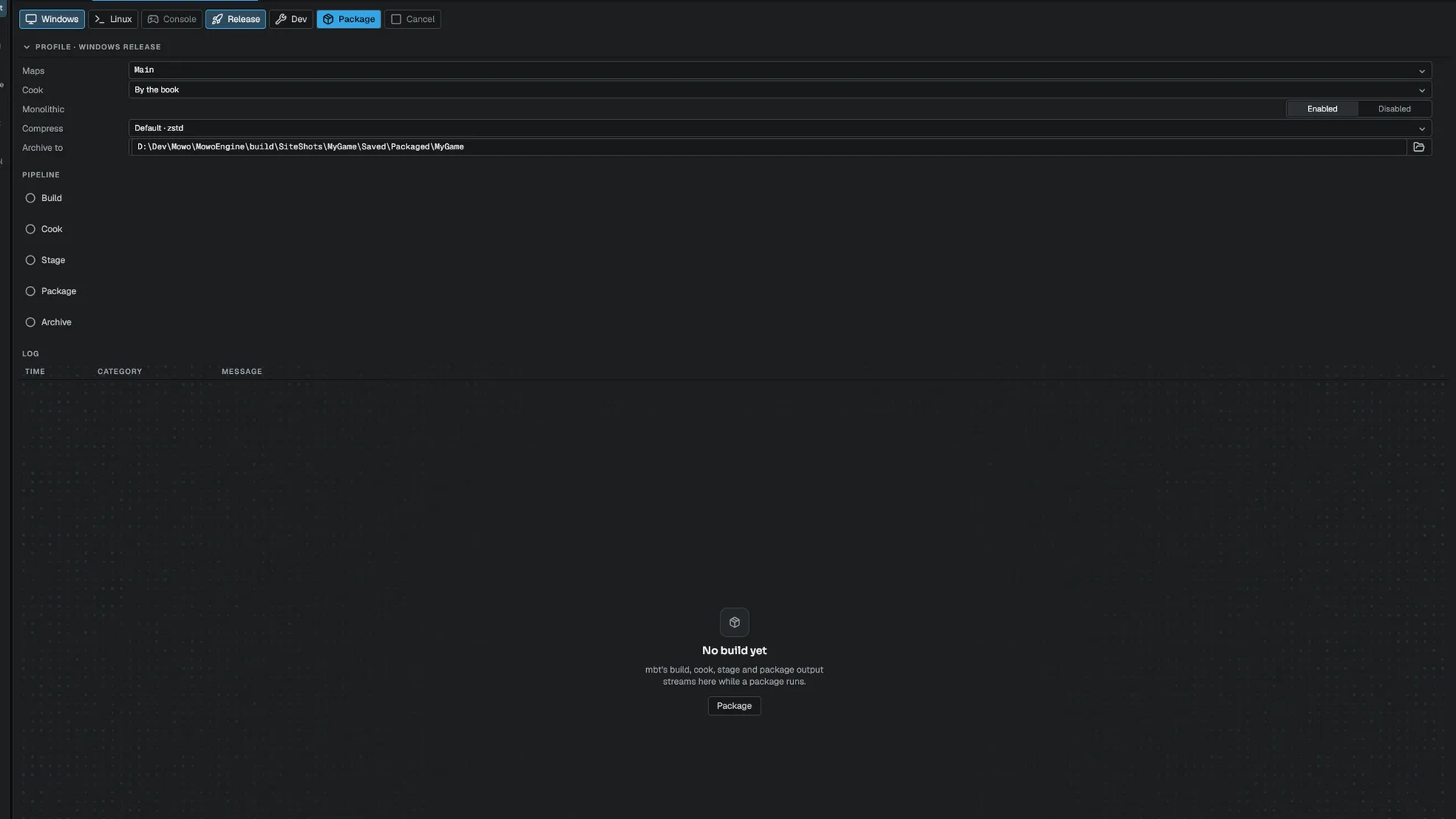
In the editor, the Monolithic row of the packaging window passes --monolithic when it is enabled and --modular when it is disabled, so the row always decides.
The import table check
A monolithic build that quietly kept a dynamic dependency on an engine DLL would pass on your machine and fail on a player's. So after staging, the packager reads the shipped host's PE import table. If it still imports a first-party DLL, or any DLL whose name starts with MowoEngine or the shared build environment's prefix, the package fails:
Monolithic verification FAILED: MyGame.exe still imports first-party DLLs: MowoEngine.Core.dll
The engine did not link statically — rebuild without --skip-build.
The usual cause is --skip-build reusing a modular build. On success the log reports how many DLLs the executable imports, none of them first-party. The check runs when packaging on a Windows host.
Related
Engine sources
This page describes behavior implemented in these files of the engine repository, checked against commit a6697f089.
- Templates/TP_Coop/Source/TP_Coop.Target.cs